Peony Watercolor: A Creative Toolkit for Design Enthusiasts
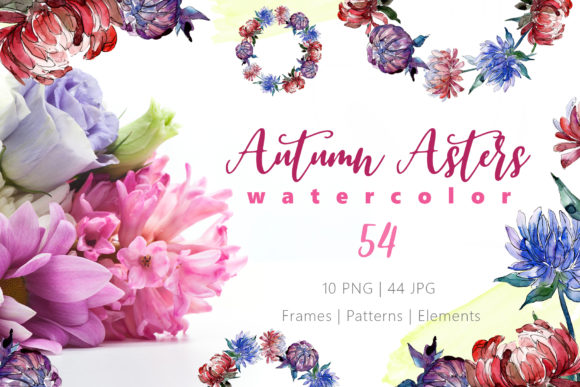
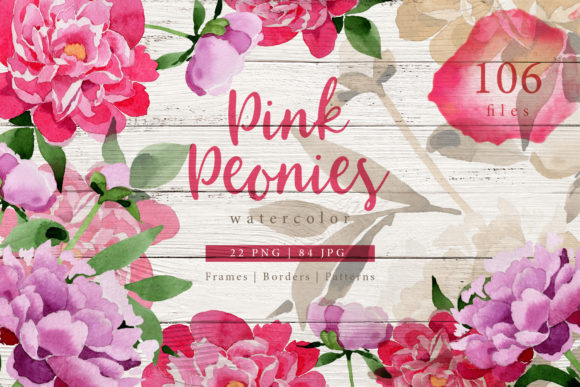
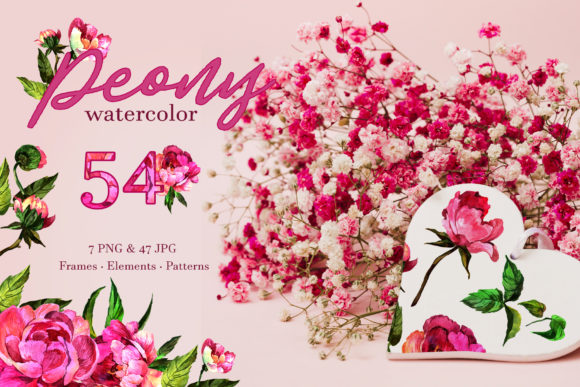
There is something quietly captivating about a hand-painted peony. The soft bleed of pigment across paper, the layered petals that seem to hold light, the gentle imperfection that makes each bloom feel alive. When you work with a watercolor peony, you are not just placing a flower onto a page. You are bringing atmosphere, softness, and a very particular kind of elegance into whatever you are creating. The Peony Watercolor collection, with its 54 individual files, gives you that feeling on demand. Whether you are designing a wedding invitation from scratch, putting together a set of greeting cards for your shop, or building a visual identity for a blog, this set offers something that stock vectors rarely do: a genuine hand-painted quality.
What You Are Actually Working With
This is not a single image or a generic clipart bundle. The Peony Watercolor set contains 54 separate files, each one a distinct element. Seven of those are PNG files with transparent backgrounds, ideal for layering over existing designs without any awkward white boxes. The remaining 47 are JPG files at a generous 3500 by 3500 pixels. That resolution matters when you want to print something large, like a poster or a signage board, because you are not limited to screen use. The set includes frames, borders, patterns, and individual isolated peony illustrations. Everything is painted by hand and scanned at 300 dpi, so the texture of real watercolour paper and brush strokes carries through.
What this means practically is that you can take a single peony bloom, drop it onto a dark background, adjust the colour, scale it up for a centrepiece, or repeat it as a pattern across an entire page. The transparency of the PNG files makes compositing fast, and the high resolution of the JPG files means you can crop into details without losing clarity.
Where This Kind of Resource Shows Its Real Value
If you have ever spent hours trying to create a natural-looking floral border using basic shape tools, you already understand why hand-painted assets are worth seeking out. The Peony Watercolor set removes that friction entirely. Instead of building petals from scratch, you drag in a ready-made frame or border that already has the organic flow of real paint. This is especially useful for anyone who does not have formal illustration training but still wants results that look like they came from an artist's studio.
Think about wedding season. Couples looking for custom invitations often want something botanical, soft, and romantic. Instead of hiring an illustrator for each individual element, a designer can use these peony files to compose a full suite: the main invite card, the RSVP card, the thank-you note, and even the seating chart. The patterns can be tiled across envelopes or used as a subtle background for ceremony programs. And because the files are fully editable in terms of size and colour, you can match the palette to the wedding theme without fighting against the original art.
For small business owners running greeting card lines, the speed of production changes drastically. You can create a spring collection in an afternoon. Select a border, choose an isolated bloom, adjust saturation, add your message, and send to print. The 47 JPG patterns give you ready-made backgrounds that already have depth and movement. A customer looking at a card on a shelf will see that difference. The watercolour texture reads as premium, and that perception directly affects buying decisions.
Different Users, Different Strengths
A graphic designer working on branding might use these peonies differently than a hobbyist making gifts for friends. The designer will likely appreciate the ability to mask, blend, and recolour the elements in Photoshop or Procreate. The PNG files with no background are particularly valuable here because they can be placed over textured paper, fabric mockups, or even photography without extra cleanup. The designer might also use the patterns as a base for packaging design, repeating the floral motif across boxes, tissue paper, and tags.
Meanwhile, someone running a lifestyle blog or a small online shop can use the same files to create social media graphics. A peony frame around a quote post instantly lifts the visual tone. The hand-painted quality signals care and artistry, which aligns well with brands that focus on home decor, self-care, or stationery. Even a simple product photo benefits when you overlay a soft floral border that echoes the aesthetic of the brand.
Teachers and workshop facilitators have also found uses for this kind of resource. If you run art journaling classes or creative workshops, having a library of high-quality watercolour elements lets you create handouts, example pages, and prompts without having to paint every single sample. Students can see how professional watercolour art looks and feels, even if they are working digitally.
Event planners and wedding coordinators often need to produce visual mockups quickly. A client wants to see how peonies would look on their save-the-date cards or table numbers. With the Peony Watercolor set, you can show them a realistic rendering in minutes. You are not promising them a photograph of exactly their flowers, but you are giving them a mood that is unmistakably floral, romantic, and organic.
Practical Considerations Before You Start
One thing to keep in mind is that watercolour art, by its nature, has variable opacity and soft edges. This is part of its charm, but it also means that if you are trying to create a very sharp, hyper-modern design with clean geometric lines, these elements might feel out of place. The beauty of peonies in watercolour lies in their softness. They work best when the overall design leans toward the gentle, the romantic, or the natural.
Another point worth noting is that the JPG files, while high resolution, come with a solid white background. If your design requires placing the pattern onto a coloured or textured background, you will need to use blending modes or masking in your editing software. The PNG files, on the other hand, are ready to drop onto any surface. It is a good practice to check which file type works best for your specific workflow before you commit to a layout.
The 300 dpi resolution is a strong advantage for print projects. Even if you are scaling an isolated peony up to poster size, you retain sharpness and detail. But for digital-only use, like web graphics or social media posts, you may want to reduce the file size to keep loading times reasonable. The original files are large because they were designed to print well, and that is a good problem to have.
Strengths That Make a Real Difference
The strongest aspect of this collection is the hand-painted origin. In an era where much of what we see online is generated or vectorized, real watercolour carries a distinct tactile quality. The slight irregularities in brush pressure, the uneven spread of pigment, the tiny blooms where water pooled and dried differently, these are things that software filters rarely replicate convincingly. When you use these peonies, you are using actual painted art.
The variety also matters. Having frames, borders, patterns, and isolated elements in one set means you are not hunting through multiple purchases to complete a project. One download covers the foundational assets for an entire visual system. And because each image is a separate file, you are not stuck cropping or extracting elements from a larger composition. You grab exactly what you need.
The editable nature of the files gives you room to adapt. You can shift the hue of a pink peony toward coral or blush. You can desaturate a pattern to use it as a subtle background texture behind text. You can layer multiple blooms at different scales to create a custom bouquet. The flexibility is there if you want to push the assets beyond their original form.
Limitations Worth Knowing
There is one limitation that honest users will notice: watercolour art does not always align neatly with rigid layouts. If you need perfectly symmetrical borders or mathematically precise repeating patterns, you may need to spend extra time aligning elements manually. The organic nature of the art means that some frames have uneven edges, and some isolated blooms tilt naturally. That looseness is part of the appeal, but it requires a designer who is comfortable with imperfection.
Also, because the set is focused on peonies, it is not a general-purpose floral collection. If your project calls for roses, tulips, or wildflowers, this set will not cover those needs. But if peonies fit your theme, you have a deep library to work with.
For someone printing at home on standard paper, the results may not look as vibrant as they do on screen. Watercolour art often benefits from matte or textured paper stocks that absorb ink in a way that mimics the original painting surface. If you are printing on glossy photo paper, the effect may appear less natural. It is worth testing a single print before committing to a large run.
Bringing It All Together
The Peony Watercolor collection sits at a useful intersection between professional-grade asset and accessible creative tool. It does not require you to be a skilled painter, but it gives you results that look like you are. Whether you are laying out a wedding invitation suite, designing packaging for a small beauty brand, creating a series of art prints for your online store, or simply making something beautiful for your own home, these files give you a head start that feels generous.
The real test of any creative resource is whether it makes you want to start something new. With 54 files, transparent PNG options, high-resolution JPG patterns, and hand-painted peonies that carry real brush texture, this set invites you to open your editing software and begin. That is probably the most honest measure of value there is.